We've introduced a new way to filter your search results
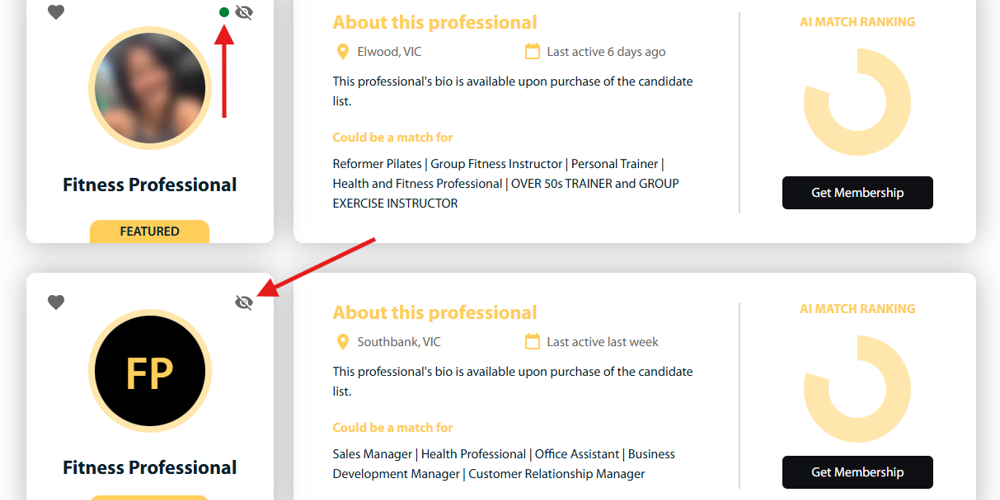
When receiving the top 15 results for any search request, employers can now remove (hide) candidates.
To hide a candidate, click on the icon of an eye with a line through it (see image). DO THIS BEFORE PURCHASING THE LIST to ensure that the next best-matching candidate will appear at the bottom of the list.
Employers can set candidates to ‘Hidden’ at any time, including from purchased lists, featured candidates (for members) and from job applications.
In addition, we’ve added coloured dots to indicate if you have access to this candidate on another list (green) or have previously had access to the candidate on an earlier list (amber).
We trust that this latest update will exponentially increase the value of our profile and CV search options.
If anyone would like a tour of the new site, please reach out.