
Unlock Hidden Talent with Suggested Candidates
With every job listing, you’ll have access to Suggested Candidates. These are local professionals who, based on their CVs, look like a potential match for the criteria in your job ad. These results are generated by our bespoke AI matching tool.
Step 1. Log in to your HealthyPeople account and head to your JOBS tab.
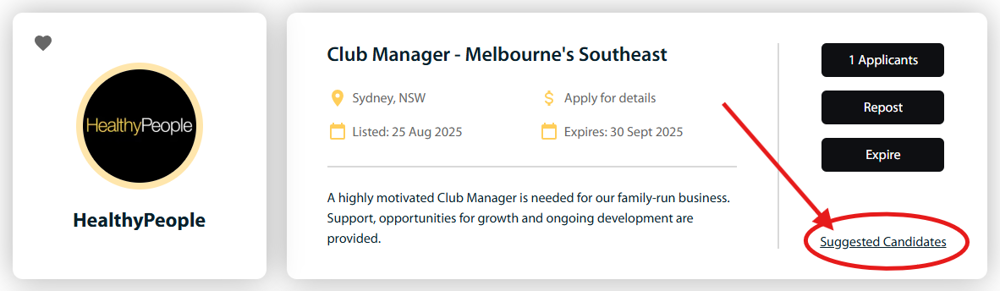
Step 2. Click on the Suggested Candidates link on the active job ad.
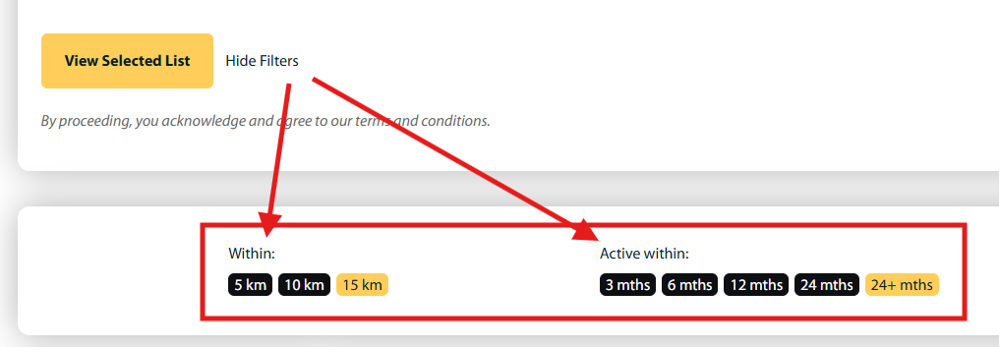
 STEP 3. BEFORE clicking the ‘View Selected List’ button, use the ‘More Filters’ link to reduce the search area and when candidates were last active on HealthyPeople. By default, the list of provided candidates are ‘within 15km’ and have been active at any time.
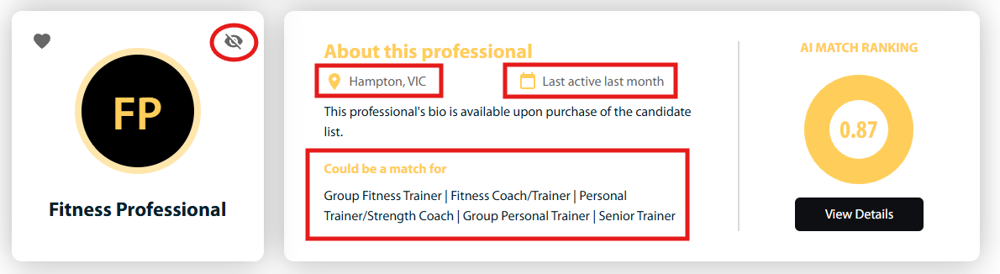
 Then, use the details in the summary view to confirm candidates seem relevant. If you decide a candidate is not relevant, use the hide icon to remove them from the list, and the next most relevant candidate will be added to the bottom of the list.
 STEP 4. When ready, click the ‘View Candidates’ button to reveal the list.
Check out the short video below for a quick walkthrough. 👇 Note: The new filters are not present in this video.